


A subdomain is an annexe (extension) of your main domain that allows you to create multiple platforms for specific business purposes without you having to buy a new domain. An example of a subdomain is this one, janenjoku.hestiene.com; the main domain is hestiene.com. It is an extension of your main domain that helps you keep your content organised and expand your business offerings.
If you’re looking to create a subdomain as a way to expand your business’s numerous arms without cramming everything on one site, this blog will teach you how to set up a subdomain on CPanel.
Benefits Of Creating A Subdomain
There are several key benefits of adding a subdomain to your business’s list of online platforms. They include:
1. Business Expansion
Having a subdomain makes your business a mini online empire with each aspect represented online. For example, if you run a car rental company, you can create multiple subdomains for each dedicated service you offer.
You can have one for certified engineers, selling car accessories, drivers, etc. And don’t worry, this isn’t misleading; it allows you to target a specific type of leads and maintain brand recognition.
2. Better Organisation
With a subdomain, you can keep content and services separate and make navigation easier.
3. Improved User Experience
You can use it to create tailored designs and functionality for specific uses.
4. Safely Test New Features
You can test and experiment with new features without affecting your main website.
How To Create A Subdomain For Your Business on Cpanel
1. First, log in to your CPanel account.
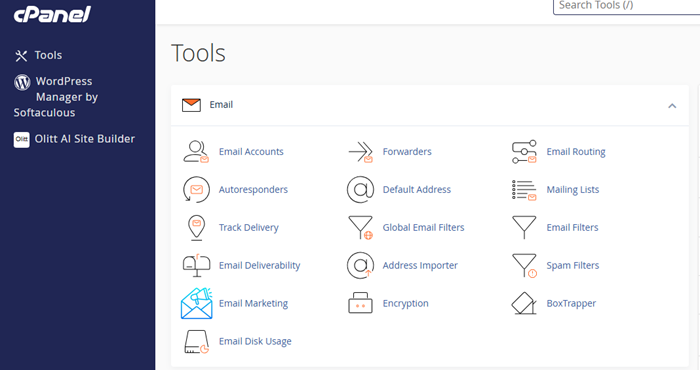
2. Once inside CPanel, scroll down until I get to a section titled Domains.
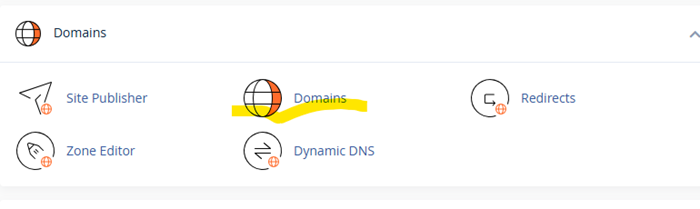
3. Click on Domains to be redirected to a page where you will see your main domain name.
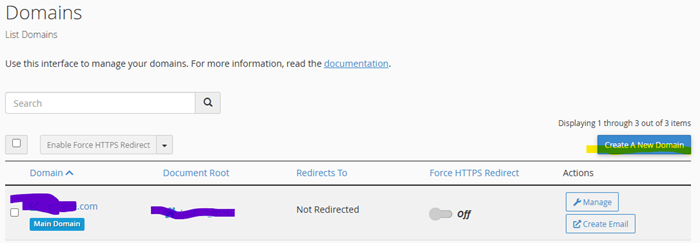
4. In the new page, click on Create A New Domain.
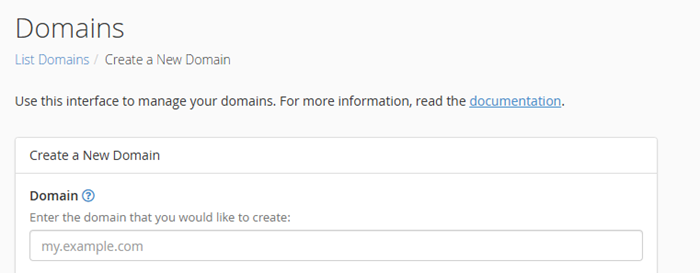
5. Name the subdomain. It must have two labels and be added to your existing domain. So if your main domain is carus.com, the subdomain will be engineers.carus.com.
6. Do not share the document root. For the next step, if you have that option ticked, then untick it, so the subdomain and your main domain don’t share the same file.
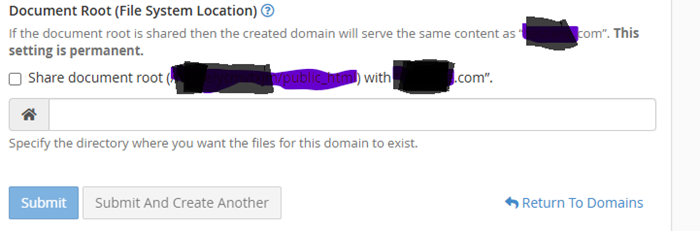
7. Once you have done that, click Submit.
8. After creating the subdomain, you can go ahead and install WordPress via CPanel.
Is A Subdomain Right For You?
Absolutely. A lot of companies use subdomains; therefore, there is no reason why you shouldn’t. Below are some examples of companies that use it:
- news.microsoft.com – Microsoft uses news.microsoft.com for press releases, company updates, and to share customer success stories.
- developers.google.com – Search engine giant, Google, uses developers.google.com to store developer resources and API documentation.
- help.shopify.com – Shopify uses help.shopify.com to facilitate customer support and publish help articles.
PS: I have created an article on How to Install WordPress on CPanel for a new subdomain, which you can check out as well.